Cloudflare OS is an AI agent work environment, open source under Apache 2.0, that Cloudflare released on August 5, 2026. It isn't a traditional operating system: it's a platform where every employee gets an agent that researches, produces documents, and builds small personal applications, called Gadgets, each running in its own sandbox, under a capability-based security framework called Gatekeepers that mediates all access to internal data. It runs on Cloudflare Workers, and you can deploy it to your own account or run it on your own servers with the open workerd runtime.
It cleared 3,900 GitHub stars on day one and passed 6,000 within two days. The Hacker News thread, "Cloudflare OS: an open platform for agents, apps, and work," grew past 328 comments and 658 points. There are good reasons for both the enthusiasm and the pushback, and we spent a week actually running the thing, on Linux and on a clean Windows install, before writing the rest of this.
Who built it, and where does the idea come from?
The official version: it was built by the Cloudflare Workers team, the same people who built the serverless platform it runs on. Cloudflare gave it to its entire workforce in May 2026, and by August thousands of employees, not just engineers, were using it daily to write documents, assemble slide decks, and knock together small internal apps. What ships now is version 2, a complete rewrite based on what the first version taught them.
The story that isn't in the press release came from Kenton Varda, Workers' tech lead and creator of Cap'n Proto, in a post on X on launch day:
"Today we are releasing Cloudflare OS, a chatbot with connectors, just like every other tech company is doing."
"Except actually, it's different. This is a remake of Sandstorm.io, my startup from 10 years ago, except this time built on Cloudflare Workers (the platform I've spent the last 9 years building) and deeply leveraging AI. This is more or less the culmination of my secret 10-year master plan."
(The post itself isn't readable without an X account, so we're citing it rather than linking you to something you may not be able to open.)
That lineage explains the design better than any marketing document. Sandstorm (2014) proposed something that sounded eccentric at the time: every user running their own private instance of every application, with capability-based security instead of permission lists. It failed commercially: it was too early, and modifying software still required programmers. Ten years later, AI removes exactly that barrier: if anyone can ask an agent to add a feature, personal-instance software stops being a curiosity and starts making economic sense. Cloudflare OS is that bet, retried with better timing and better infrastructure.
In the same post, Varda makes a claim bigger than anything we can independently confirm: that inside a Gadget's sandbox, "the AI cannot introduce a significant security bug." We never attempted to make an agent write an exploit, so treat that specific line as the vendor's claim, not as something this article tested.
How does it work under the hood?
This is where the "OS" name stops being marketing and becomes a defensible technical analogy. The README formalizes it:
| Traditional OS | Cloudflare OS |
|---|---|
| Kernel | workshop-backend |
| Device drivers | gatekeeper-* (one per external service) |
| Shell | workshop-frontend |
| Processes | Gadgets |
| Executables | Blueprints |
| Users | Users |
| ACLs | Shared permissions |
| ??? | Agents |
The actual mechanics, piece by piece:
Every workspace is a Durable Object: Workers' mechanism for persistent state with a unique identity. Every Gadget runs in a Dynamic Worker Facet: a worker spun up on the fly, isolated, with its own SQLite database. There is no shared application server: there are thousands of micro-instances, one per document, raised on demand. We confirmed this isn't just an architecture diagram: on disk, every workspace really is its own SQLite file, named after the exact workspace ID from the browser URL.
Each Gadget's client and server communicate over Cap'n Web, a capability-based RPC system. That seemingly technical decision carries an enormous consequence: because a Gadget's entire interface goes through typed RPC, any app you build automatically has an agent-friendly API. No MCP server to write, nothing to integrate: if you can use your tool, your agent can too.
The agent is a Code Mode agent: instead of chaining tool calls one at a time, it writes snippets of code and executes them immediately. Cloudflare's claim is that this is why, on the same underlying models, its agent completes tasks with fewer tokens than a general-purpose coding agent.
The network is closed by default. Gadget server code runs in Dynamic Workers with global outbound networking disabled; client code runs in sandboxed browser frames. The only external connectivity is what comes in explicitly as a capability. That isn't a policy someone configures. It's the architecture.
Several Workers runtime features (Dynamic Workers, Facets) were added to the platform specifically to support Cloudflare OS. Reading this repository is, literally, seeing how the team that built Workers thinks Workers should be used.
What are Gadgets, and why do they change the software model?
When you create a slide deck in Cloudflare OS, you're not using a shared slides SaaS. The system creates a private instance of the slides software just for you, in its own sandbox. That's a Gadget.
Two consequences the README states plainly:
- The software can't leak your data through its own bug, because the sandbox controls all access to your instance. The classic multi-tenant SaaS security failure, one tenant seeing another's data, stops existing structurally.
- You can freely modify the code. Slides app missing a feature? Ask your agent to add it. And because point 1 still applies, doing so is safe.
Blueprints are the equivalent of office templates, with one difference: a Word template is content; a Blueprint is a complete application. Share your Gadget's Blueprint and the recipient gets an independent copy, without your data, your conversation history, or your credentials. They can then ask their own agent to reshape it, without filing a feature request with anyone. We tested that independence claim end to end: the copy gets its own workspace, its own database file on disk, a cost meter reset to zero, and none of the original's chat history. It holds.
It's the exact inversion of the last 25 years of SaaS: instead of a thousand users on one centralized app that evolves by roadmap, a thousand personal copies that evolve by conversation. Whether that scales is an open question. Whether it's the most interesting idea in the launch is not.
What are Gatekeepers, and what problem do they actually solve?
Gatekeepers are the security framework, and they contain the launch's most quotable innovation.
Every external service gets its own Gatekeeper: an independent Worker that wraps the service's native API, handles auth, narrows access to the specific resource the user intended, and logs every action for review. The credential never touches the agent or its generated code. It lives inside the Gatekeeper. The repository ships sixteen gatekeeper services in total. Twelve show up as connectable tiles on a fresh instance (GitHub, Google, Slack, Notion, Linear, Confluence, Supabase, Home Assistant, Spotify, ZoomInfo, an MCP Server connector, and Email), a thirteenth appears once an operator configures an MCP Portal, and the remaining three (Cloudflare itself, a Scheduler, and a Context Library) work quietly in the background without ever asking you to connect anything.
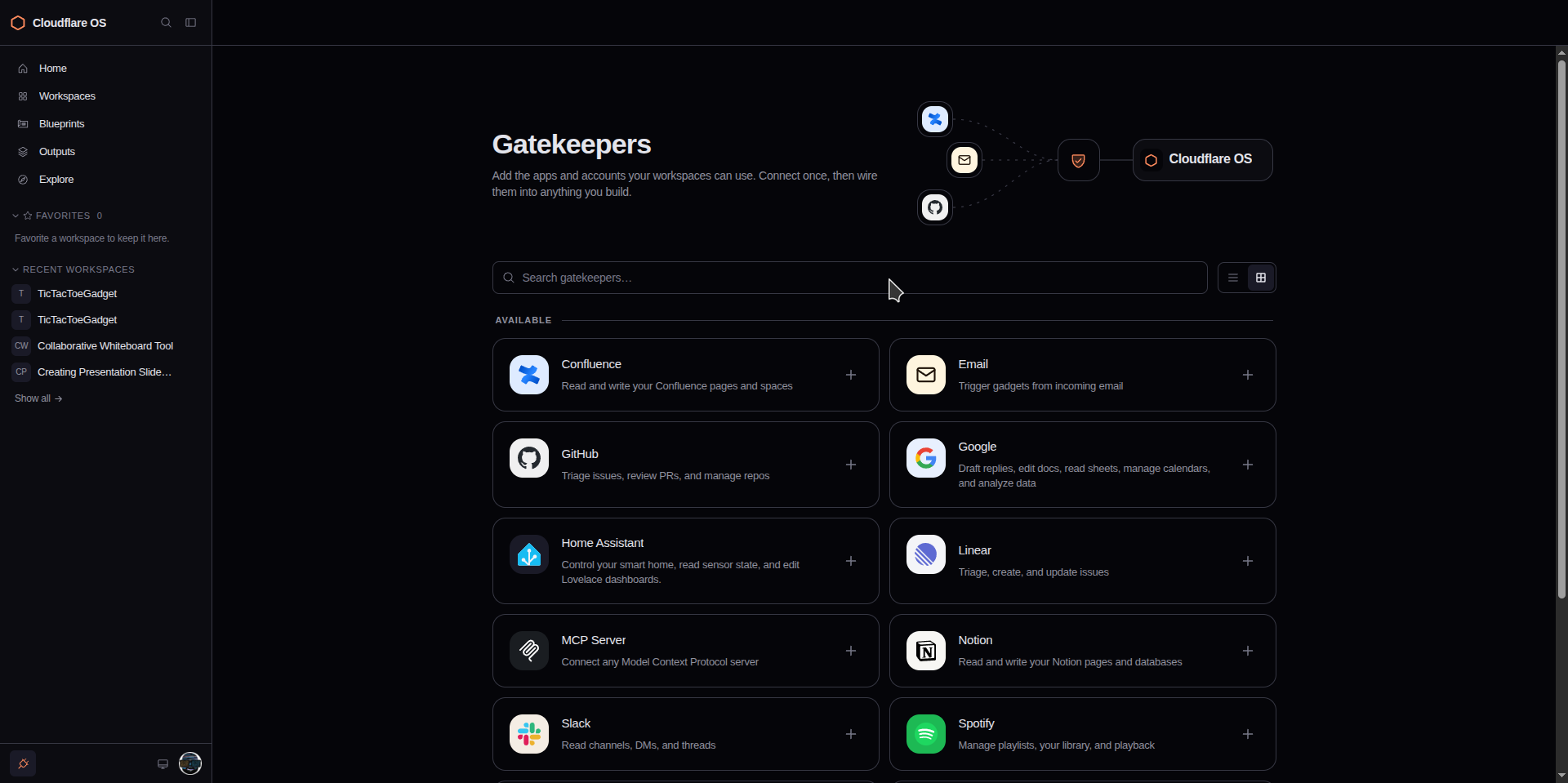
The range between them is wide enough to matter. Slack's connector is read-only by design: it can search and read channels, DMs, and threads, but there is no method anywhere in it to post a message. Google's is the opposite kind of broad: Gmail, Docs, Sheets, Calendar, and BigQuery in one connector, and Gmail's scope genuinely includes sending mail on your behalf. Home Assistant goes furthest of all, into the physical world: it can call services on real lights, thermostats, and locks. None of that is a criticism by itself, since every one of those actions still goes through the same approval queue, but it's worth knowing which Gatekeeper you're handing an agent before you hand it one.
The permission model is capability-based and zero-trust: an agent starts with access to nothing, and every resource arrives as an explicit, typed grant. The system also records every resource an agent observes, and those observations stay attached to whatever it produces. We tested this directly, and it's the single most convincing thing in this entire investigation.
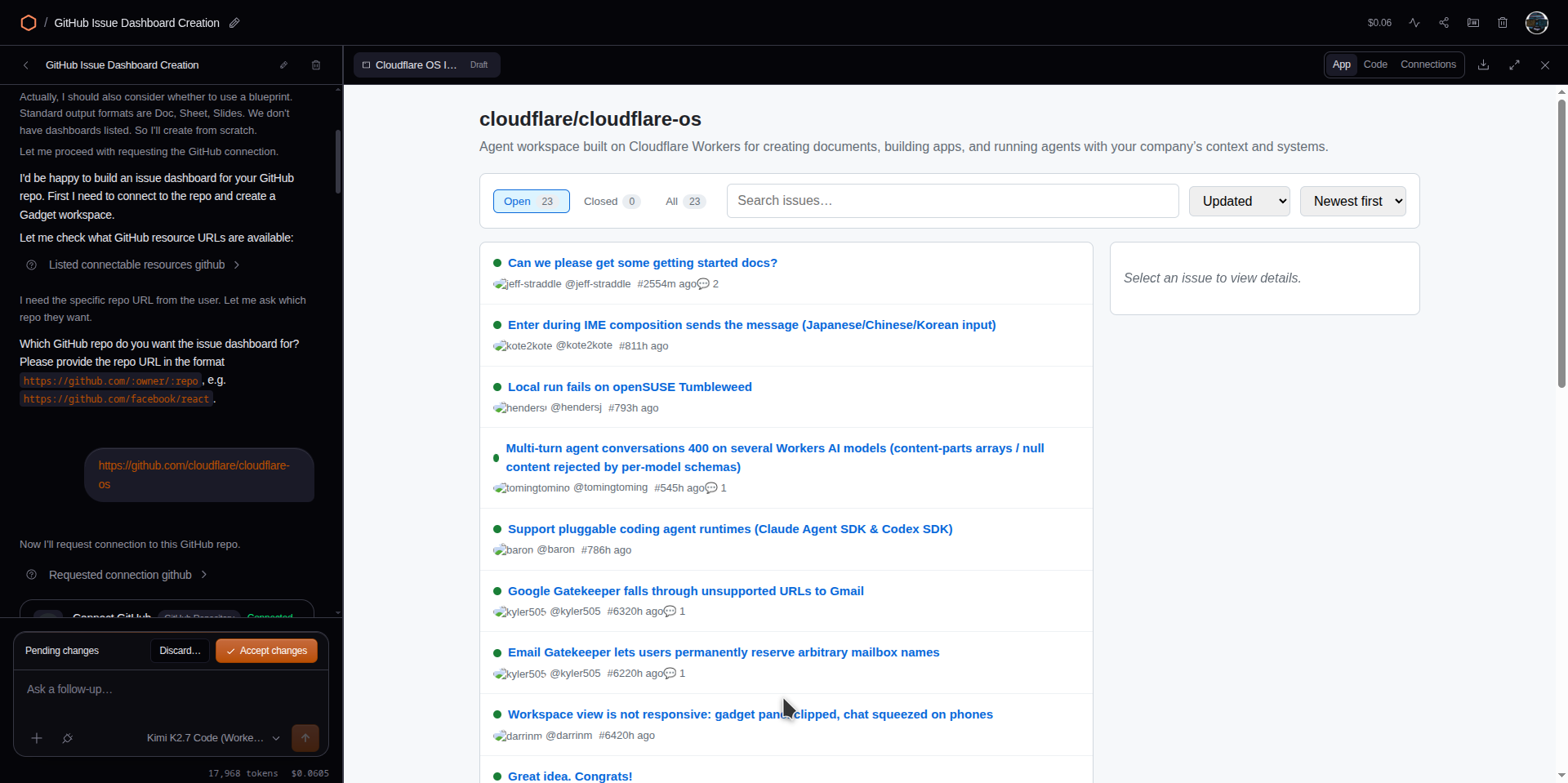
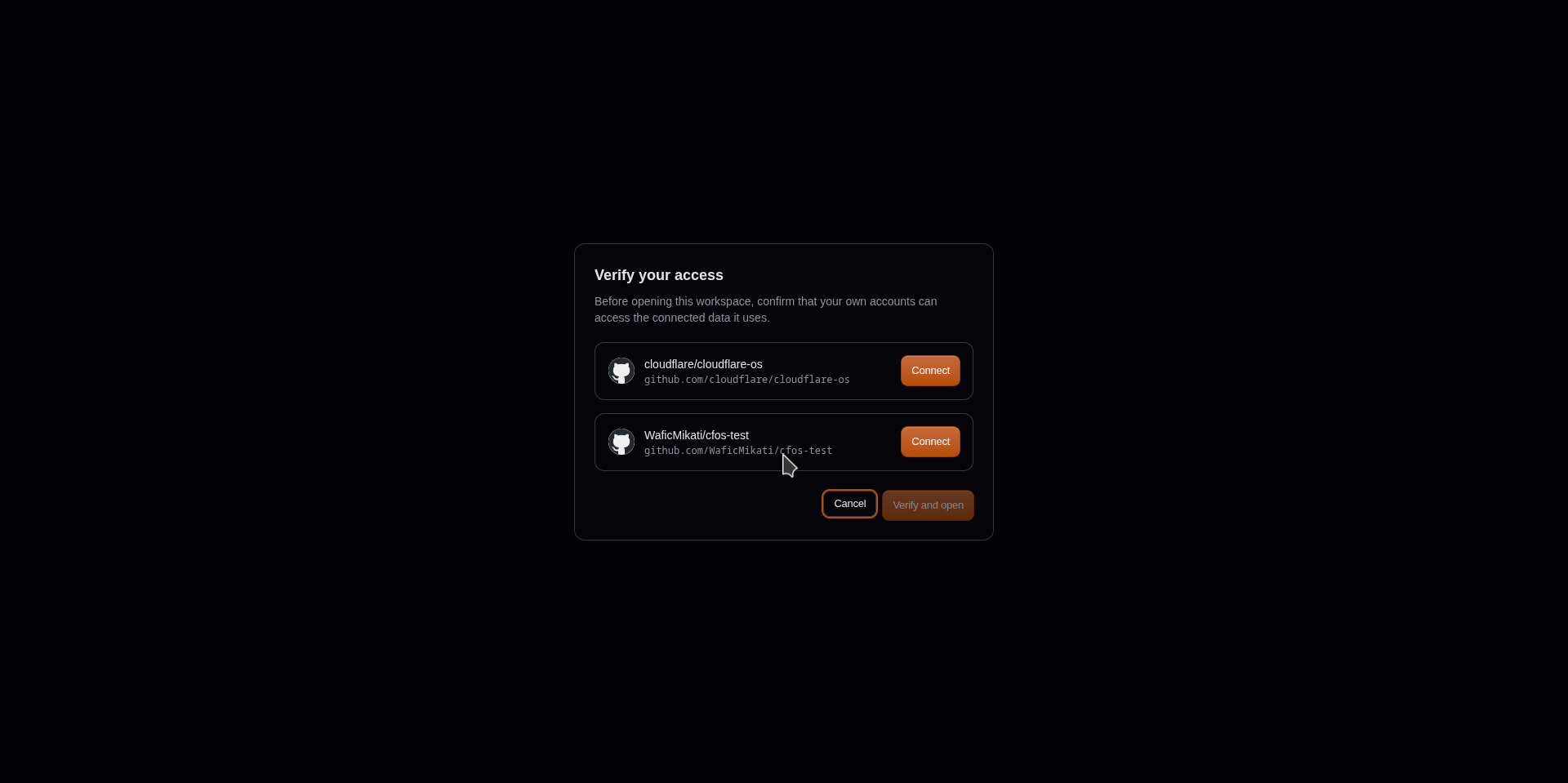
We built an issue dashboard by pointing an agent at a private repository, then shared the workspace with a second account that had no GitHub connection of its own. Opening the link didn't hand over the dashboard. It opened a Verify your access screen that listed every connected resource by name and left the "Verify and open" button disabled until the second account connected its own GitHub access to each one. Nothing about the publisher's access transfers. The recipient has to prove independent permission before the workspace opens at all, which is exactly the mechanism needed to stop a shared agent output from becoming a silent data leak.
And then the piece that solves a problem anyone who uses agents recognizes instantly: asynchronous approval. Traditional human-in-the-loop is synchronous: the agent wants to do something sensitive, stops, and waits for you. You hand it a task, walk off for a coffee, and come back to find it stuck on step one. The practical consequence is well known: people give in and turn on auto-approve, the infamous --dangerously-skip-permissions, which is exactly the unsafe thing.
Gatekeepers do something different: when the agent requests an action that needs approval, the Gatekeeper simulates the outcome locally and lets the agent continue. Asked to file a GitHub issue, one agent we tested replied immediately with a provisional ID marked by a tilde, "Provisional ID: ~1 (will be rewritten to the real GitHub issue number once the gatekeeper finishes creating it)", and reasoned out loud about what it could and couldn't safely do with an ID that wasn't real yet. When you come back, you work through an activity queue: one action per line, oldest first, with Approve and Deny buttons. There's no bulk approval and no select-all, which the pitch implies but the interface doesn't actually offer. A separate Auto-approval tab lets you mark a specific action type as always-safe going forward, a related but genuinely different feature.
It isn't unconditional, either. Requesting a brand-new connection halts everything: the composer locks with "Set up or deny the connection request above to continue" until a human decides. And a handful of Gatekeepers, the ones that can't safely fake a result, like a raw SQL statement against a database, mark their actions as needing a real decision before the agent can move on, rather than simulating and continuing. Async approval is the default here, not a guarantee: it holds exactly as far as a given Gatekeeper's author was willing to build a convincing simulation.
What can you do with it today?
The README leads with three examples, so we built all three and timed them.
| Prompt | Build time | Cost | Result |
|---|---|---|---|
| "Make a tic tac toe game." | 54s | $0.02 | Built, UI broken on arrival, self-repaired in one round trip |
| "Make a collaborative whiteboard app." | 112s | $0.02 | Built, broke silently, twice, from two different causes |
| "Make slides for my upcoming meeting with a customer." | 9s to first render | $0.24 total | Worked, used the built-in Blueprint |
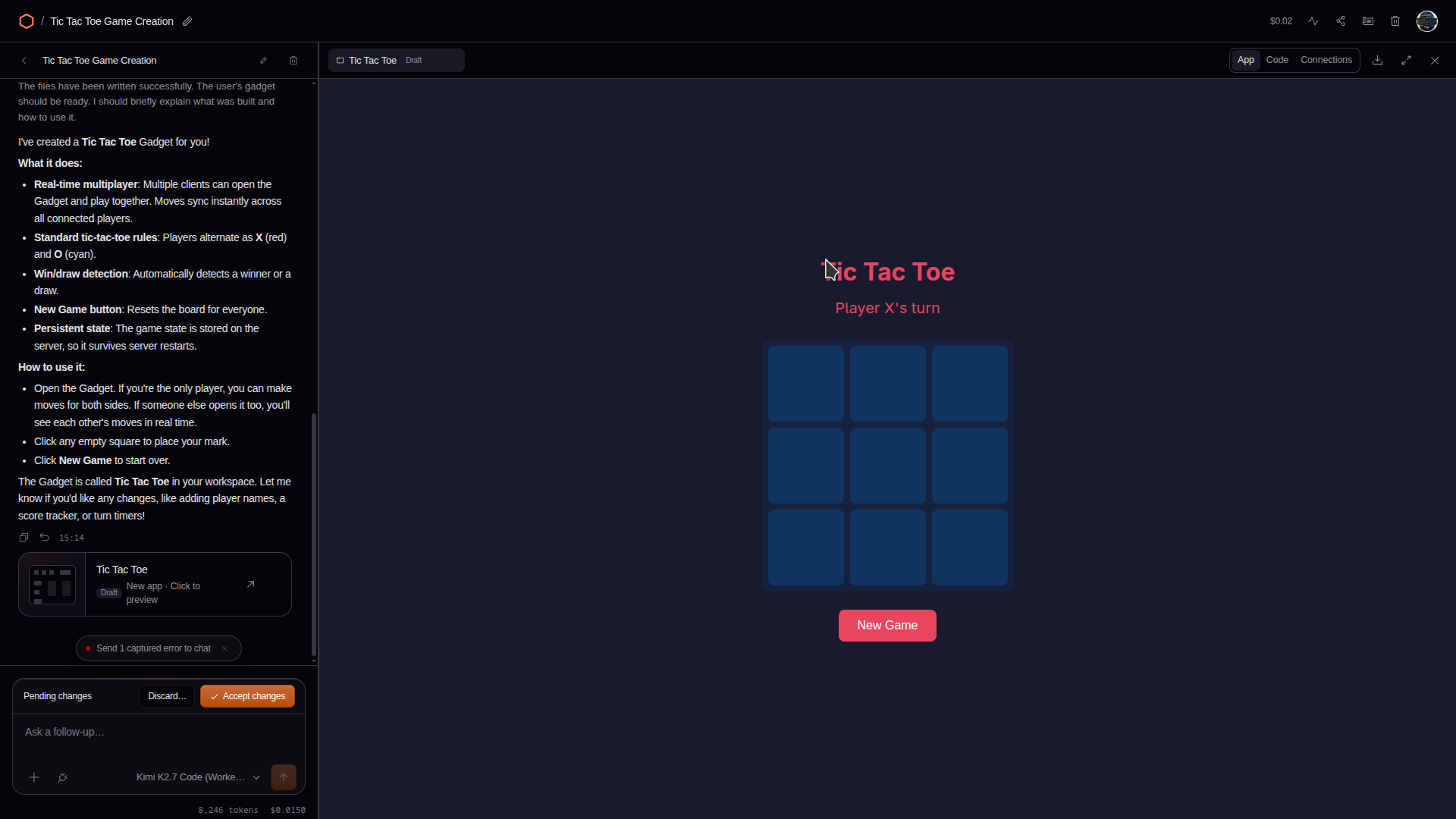
The tic tac toe board looked right but never showed a move. The agent's own client code had passed a plain object where the platform's RPC layer required a typed one, so the live-update subscription silently failed. The browser's own exception was captured automatically; feeding it back to the agent produced a correct diagnosis and a one-line fix, after which the board worked end to end.
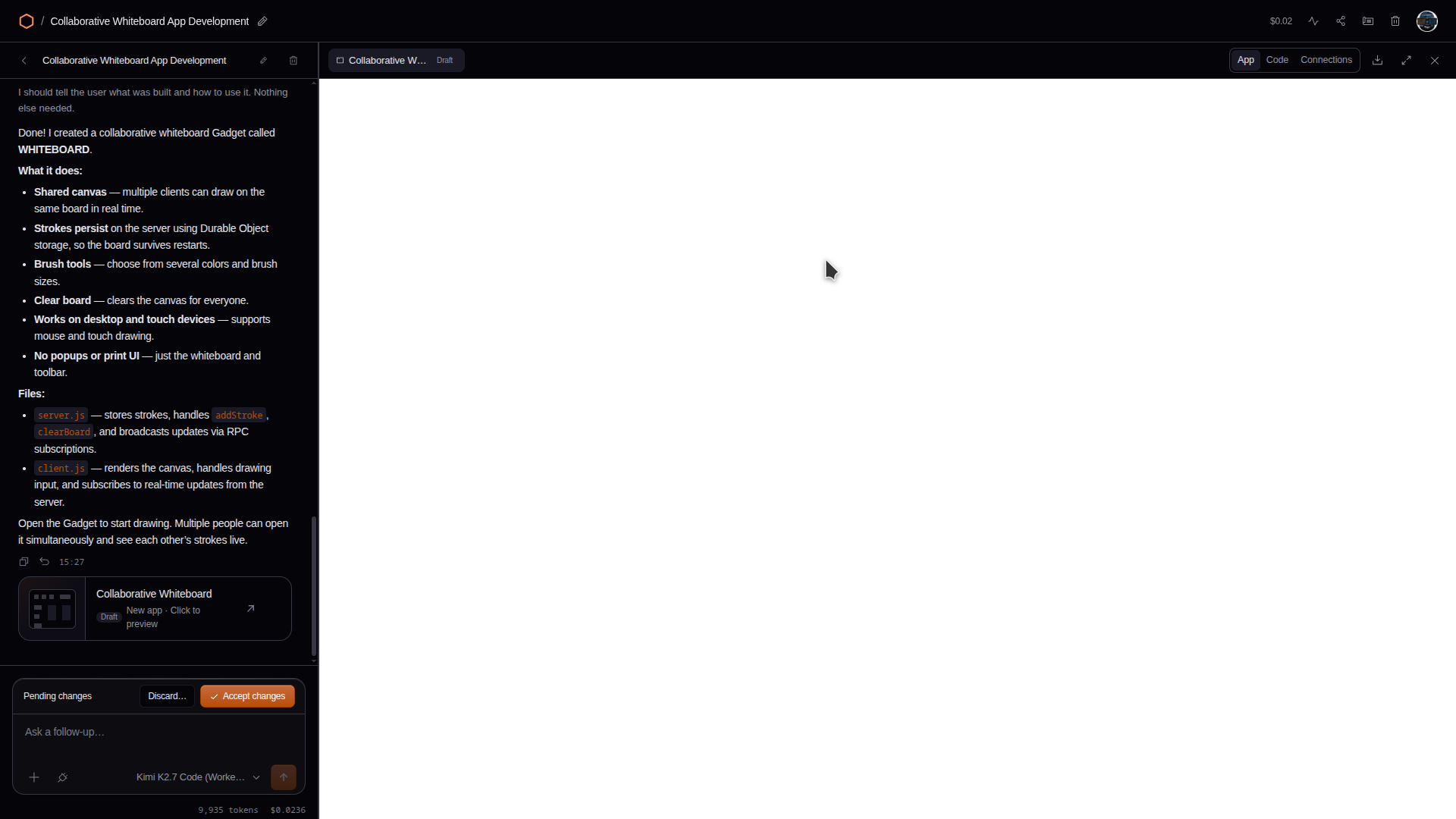
The whiteboard is the more honest result. The first build produced code that was, on inspection, entirely correct, a complete working whiteboard, except that nothing in it ever called its own entry point, so it silently did nothing. We rebuilt it from scratch a few days later and it broke again, differently: this time it drew perfectly on screen but the realtime sync never reached the server, so a reload wiped every stroke. Both times, the agent's own summary described a finished, working app.
Playing tic tac toe against the agent works exactly as advertised, and through the Gadget's real API rather than a special case, which is the most impressive single thing we saw all week. It also has zero awareness the board changed unless you tell it: make a move, wait sixty seconds, and it just sits there. You have to say "your turn" every time.
The slides example is the one that used a prebuilt Blueprint instead of writing code from scratch, and it shows: a styled deck in 9 seconds, and turning it into a real 7-slide customer template cost $0.24, an order of magnitude more than either from-scratch app, almost all of it spent on polish rather than plumbing.
"Just ask for an app" is the central pitch of this entire launch. On what we saw, it's real about two-thirds of the time, and when it fails, it usually fails quietly rather than loudly.
Choosing a model
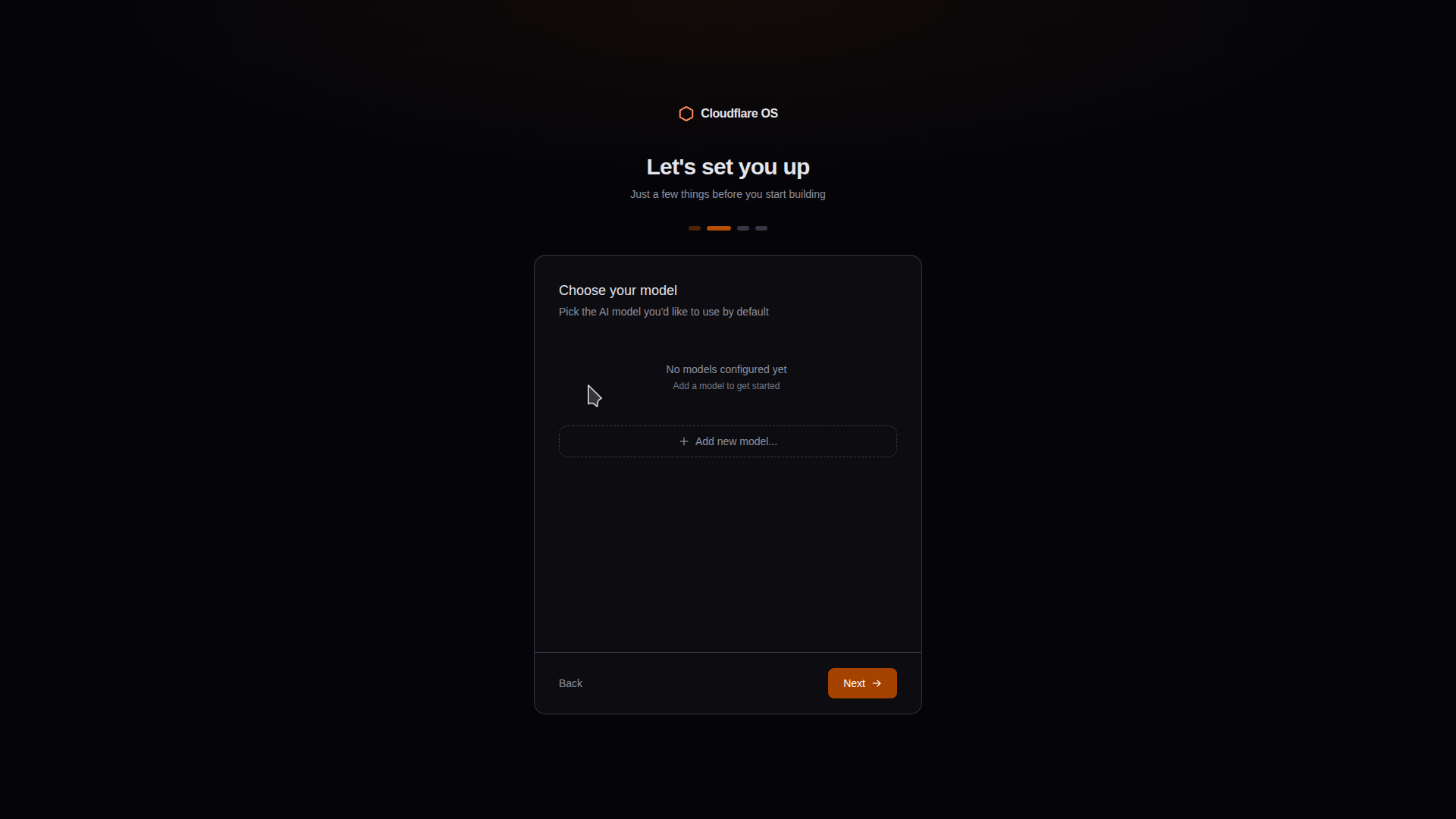
Cloudflare OS doesn't ship with a model. Onboarding's second step opens on "No models configured yet," and nothing downstream, not the agent, not a Gadget, not a Blueprint, works until you add one.
What you see next depends on how the instance is deployed. In direct mode, a dropdown offers nine presets across four providers, two from Cloudflare's own Workers AI, three from Anthropic, three from OpenAI, one from Google, plus a fifth option, Ollama, for anything else. Pick a preset and the dialog reveals whichever credential fields that provider needs. Pick Anthropic or OpenAI specifically and there's a quiet bonus field, an API URL override, that lets you point a preset model at a proxy, Cloudflare's own AI Gateway among them, instead of the vendor directly. In gateway mode, that whole dance disappears: the operator's enabled models are simply listed, pre-selected, with no credential fields anywhere.
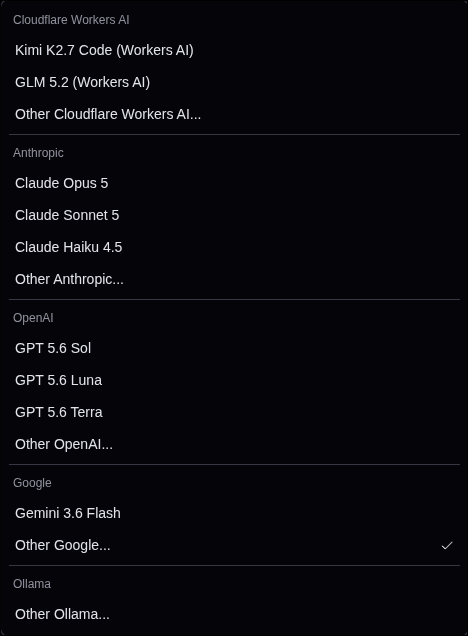
On price, published rates put Claude Sonnet 5 at $2 / $10 per million tokens in and out, and Anthropic has confirmed that's now permanent, not the introductory rate a scheduled September increase was going to replace. Cloudflare's own Kimi K2.7 Code comes in cheaper still at $0.95 / $4.00, the least expensive model in the lineup that's actually built for agentic coding. Blended across a realistic 1M-input, 100k-output agent turn, Kimi lands around $1.35, GLM 5.2 (Cloudflare's other option) around $1.84 with no vision support and worse pricing on both legs, and Claude Opus 5 around $7.50 for the problems that need it. GPT-5.6 Sol, the priciest option we priced out, comes to roughly $14.50 for the same turn once you cross OpenAI's long-context threshold, which a full-context agent loop crosses immediately.
Two catches worth knowing before you pick one. Kimi K2.7 Code, the model Cloudflare OS points you toward first, needs a paid Workers plan; it refuses outright on the free tier. And every Cloudflare model gets its output capped by the app itself at 32,768 tokens no matter what the vendor allows, because Workers AI charges the response against the same window as the prompt, and Cloudflare OS reserves that room up front rather than risk the request being rejected.
How do you actually get started?
Three paths, from least to most commitment, and this is where this article differs most from what you'll actually see, because the README's framing describes the command, not the experience.
Local, and it really is fast. With pnpm installed:
pnpm run-localOn a clean clone this installs in roughly 30 seconds (14 seconds for the install itself, 216 MB downloaded, plus about 17 seconds to build the frontend) and serves on http://localhost:8787 with no login prompt, no telemetry question, no port conflict. The one real surprise is disk space: node_modules lands at 1.1 GB.
What that half-minute gets you is a running instance and an empty account, not a working agent. There's no welcome tour: the landing page is a plain sign-in screen, and creating an account asks for nothing but a username and a password.
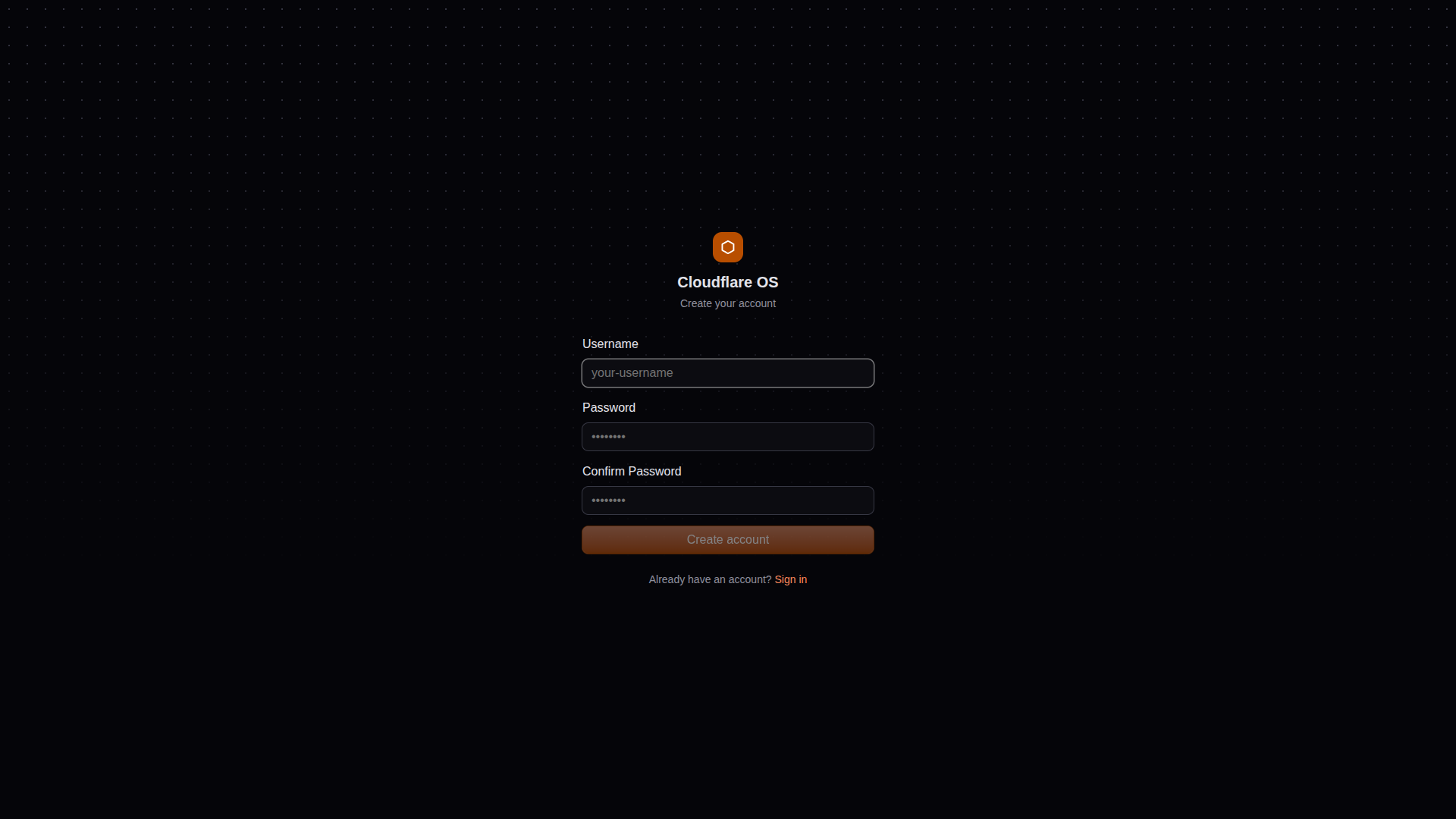
Signing up drops you straight into a four-step wizard: a profile with a display name pre-filled from your username, a model you have to add yourself (nothing past this point works without one), a Gatekeeper connection step, and then the workspace itself. Every step is skippable except the model.
Deployed to your Cloudflare account, from os.cloudflare.app/deploy. You'll also want Cloudflare Access for authentication and AI Gateway for model routing, which is also what unlocks real per-user spend limits, something neither the local instance nor a bare deployment gives you on its own.
Genuinely self-hosted: the Workers runtime, workerd, is open source, and Cloudflare OS can run entirely on top of it on your own servers. Being built on Workers doesn't mean it only runs on Cloudflare, though let's be honest: the first-class experience is on their cloud, and that's the commercial logic of giving you the software for free.
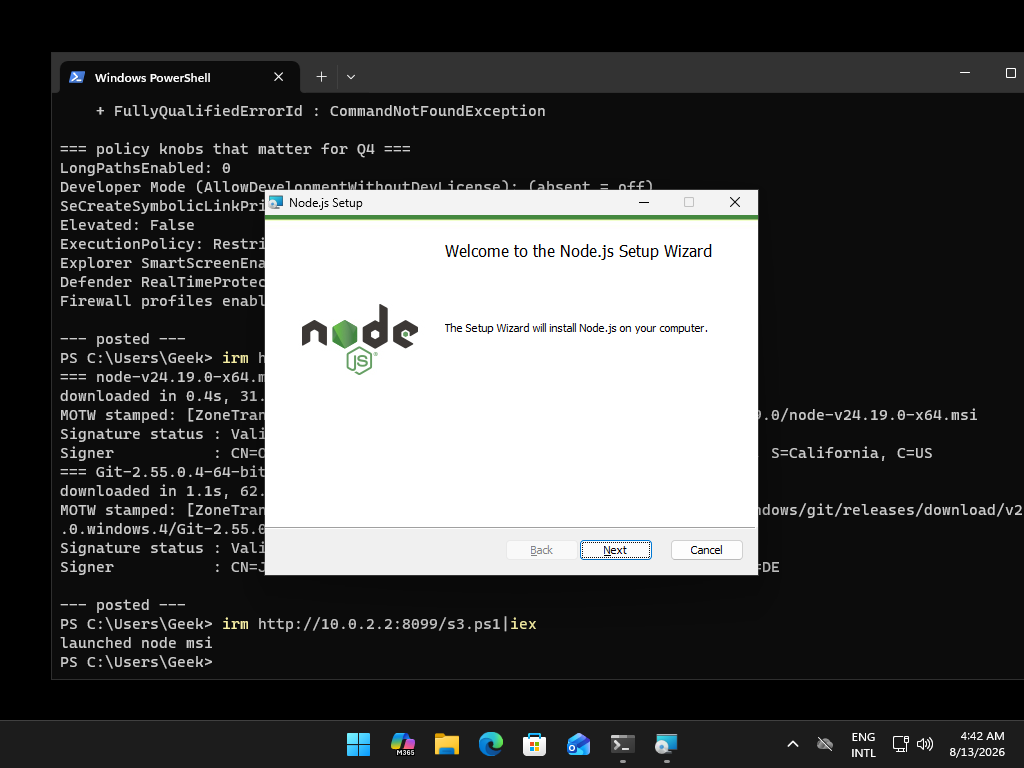
If you're setting this up on Windows specifically, keep reading, since none of the timings above will match your experience.